
How do I activate auto-invite rules?
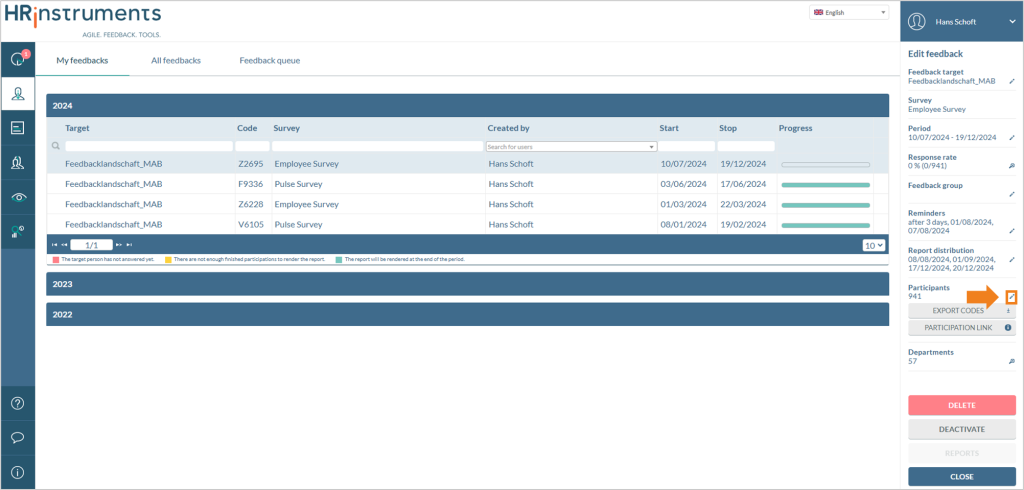
Via the “My Feedbacks” or “All Feedbacks” tab, an ongoing feedback can be selected, and the edit button under the “Participants” section in the sidebar can be clicked.
In the participant edit window, the “Auto-invite rules” button can be selected at the bottom.
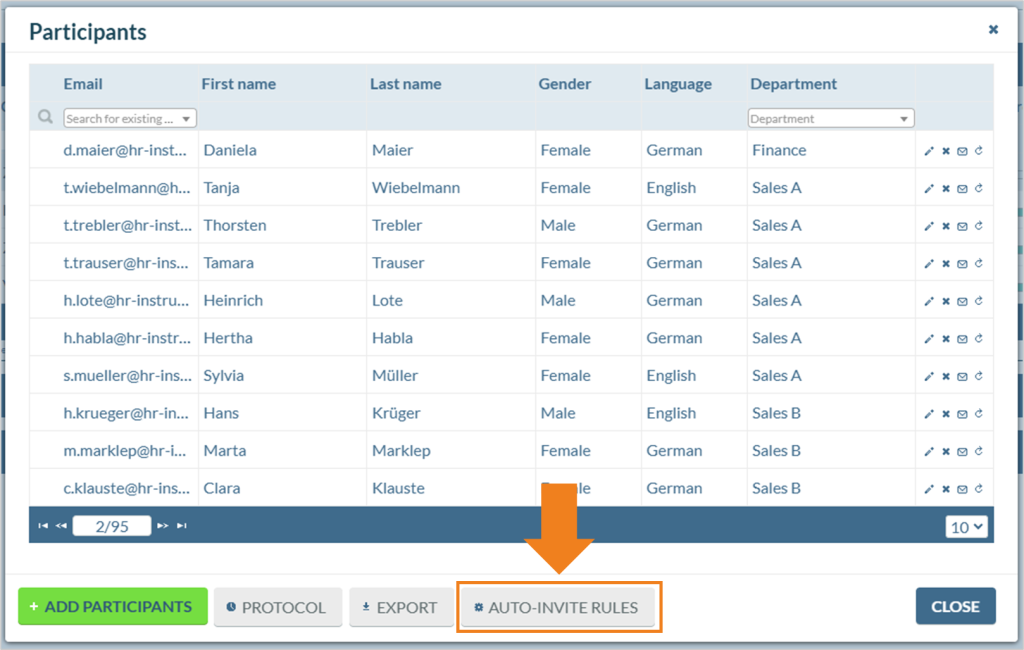
A further window opens where the rules for the auto-invite are displayed. Here, both existing rules can be displayed in a list view, and new rules can be created.
When creating a new rule, a name for the rule and the participant type to which the rule applies can be defined.
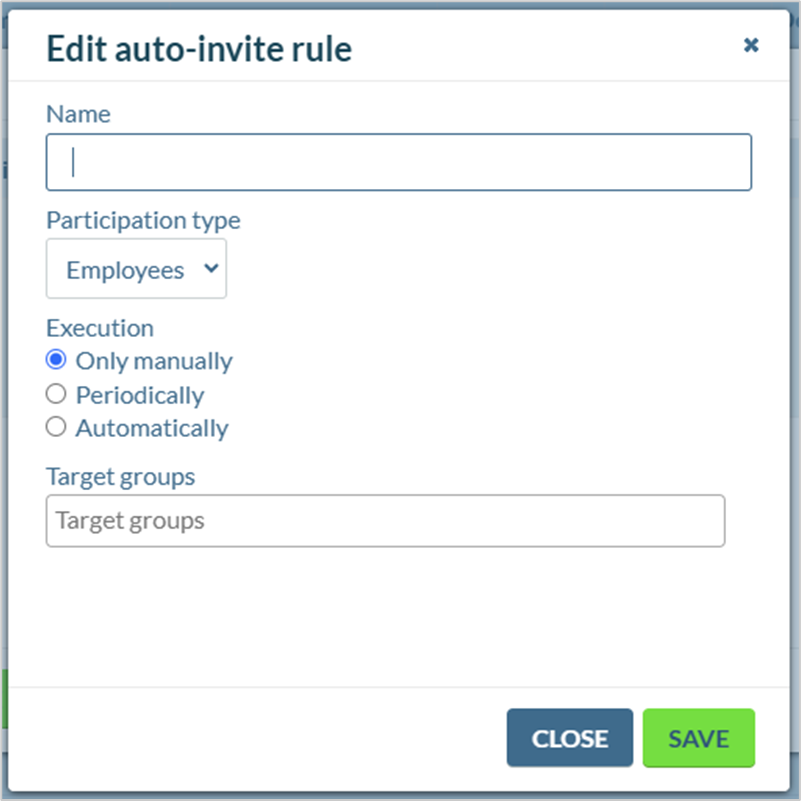
The execution of the rule can be done in the following three ways:
Only manually
The predefined rule is activated and executed manually by clicking a play button in the list view.
Periodically
In this option, a start date, cycle, and time can be defined. The rule will then, starting from the defined date, periodically check at the specified time whether new participants match the defined criteria and send invitations automatically.
Automatically
The predefined rule is reactivated during each user synchronization and checks if new participants match the criteria. Invitations are sent automatically.
At the bottom of the window, the target group for the invitation automation rule can be defined.
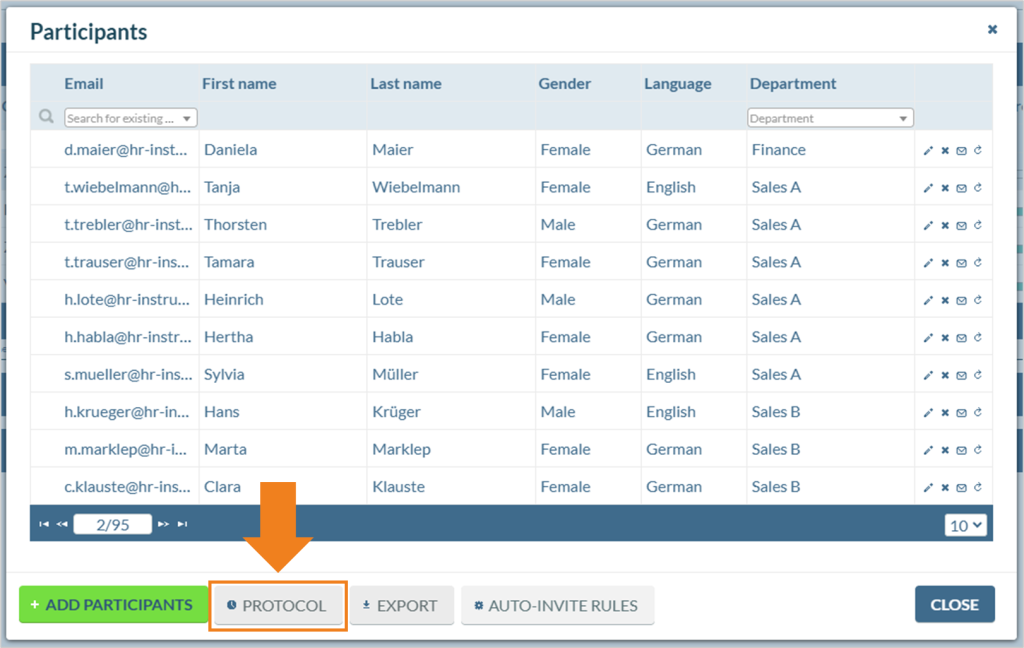
Once the automation is created, the “Protocol” button can be used at any time to review which participants were invited through this mechanism.
When should I use auto-invite rules?
Auto-invite rules can add participants to a survey later if not all participants are known at the start of the survey. Examples include…
- … participants returning from parental leave, resuming work after illness, or becoming active again after a long absence.
- … new employees joining the company who should be included in survey projects. For example, onboarding and exit surveys can be set up to automatically address all new hires and leavers.