
To import organizational and personal data, you need these files in CSV UTF-8-format.
You can easily save an Excel file in UFT-8 format. To do this, click on “Save as” in your Excel file.
When the dialog opens, you can switch from the “Excel workbook (*.xlsx)” file format to the CSV UFT-8 format:
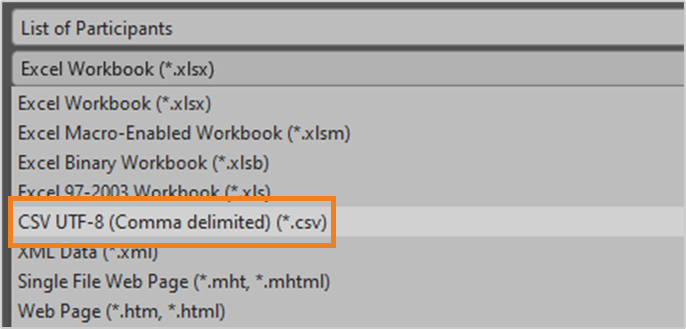
Then click on “Save”.
You can now use the file when importing your organizational data.